
-
 Welcome bonusUp to 2 000 CAD + 100 FSfor the first 2 deposits
 -
 Welcome bonusUp to 2 000 CAD + 100 FSfor the first 2 deposits

- Finding the WinSpirit Login Portal
- The Sign-Up Process
- Mandatory KYC and Verification
- Troubleshooting Login Problems
- Inside Your Player Dashboard
- Account Safety and Security
- Who Benefits Most from These Access Features
- Common Questions About Signing In
- How do I reset access if I have forgotten my credentials?
- Which devices and browsers are supported?
- What happens to my session if I switch between the app and the browser?
- Can I have more than one account?
- What should I do if my account is locked after multiple failed sign-in attempts?
- How does self-exclusion affect sign-in access?
WinSpirit Login
Signing in is the single action that unlocks every feature we offer — from the game lobby to the cashier. This guide breaks down exactly where the login fields sit, how to register a new account, what identity checks are required, and how to resolve the most common access issues. Whether you are returning after months away or opening your very first session, understanding each step keeps you in control. WinSpirit has structured every access point with security and clarity as the priority. For returning Canadian players, a valid WinSpirit Casino login is all that stands between you and the full platform. Use this page as your reference before you proceed. New players will find the WinSpirit 777 login and WinSpirit login flows covered in detail below.
Finding the WinSpirit Login Portal
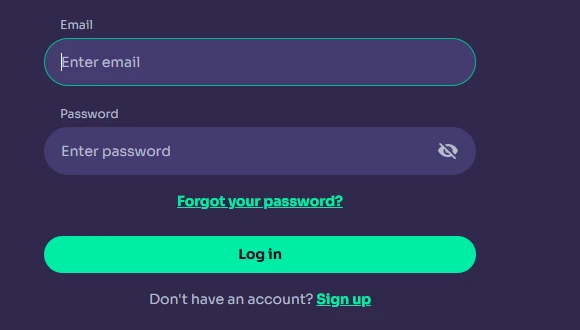
The login fields are located in the upper-right corner of every page on our platform. You will see two inputs: one for your registered email address and one for your password. Entering both correctly and clicking the sign-in button grants immediate access to your full account. Three main entry points are available:
- Browser login — open the site in any desktop or mobile browser, locate the sign-in button at the top right, and enter your credentials directly
- PWA app login — if you have installed our Progressive Web App to your home screen, tap the icon and authenticate through the same credential form
- Biometric support — on iOS and Android devices, Face ID or fingerprint recognition can be enabled after your first successful manual sign-in
All three routes lead to an identical session. Your balance, active bonuses, and game history are synchronised in real time regardless of which entry point you use. For a full overview of our platform’s features, visit WinSpirit Casino info on the main site. Completing a WinSpirit Casino login through the browser or the app produces the same authenticated session. The WinSpirit app login process is specifically designed for iOS Safari and Android Chrome users — biometric support activates automatically once your device is enrolled. Players searching for the WinSpirit 777 login screen will find it at the same top-right position; the branded entry URL simply redirects to the standard portal. Our team recommends bookmarking that URL directly so repeat sign-ins take no more than a few seconds. WinSpirit keeps this portal stable — no location changes between platform updates.
The Sign-Up Process
Every new account begins with a four-step registration form that must be completed with information matching your government-issued ID exactly. Submitting details that differ from your official documents will block verification later, delaying withdrawals. The steps are:
- Click Sign Up — the button sits in the top-right corner alongside the sign-in control
- Enter email and password — your email becomes your permanent account identifier; choose a strong password immediately
- Provide your ID-matching name — first name and surname must replicate your passport or driver’s licence character for character
- Choose your account currency — CAD is available and recommended for Canadian players; this selection cannot be changed without contacting support
Win Spirit Casino has designed this form to be completed in under three minutes on any device. Once submitted, you receive a verification email; clicking the link inside activates your account. For players who prefer mobile registration, the WinSpirit app info page covers installation steps and the exact flow for the WinSpirit Casino app login on both iOS and Android. The WinSpirit 777 login register pathway follows the identical sequence — the same form, the same fields, the same currency selector. Win Spirit login credentials are set during this registration step and remain your access key unless you reset them later. Use a unique password that you do not share with any other service. WinSpirit keeps registration data encrypted from the moment of submission, meaning your personal information is secured before you even complete step four. Returning to the WinSpirit app login page after registration is immediate — no waiting period applies between account creation and first sign-in.
Mandatory KYC and Verification
Uploading identity documents is not optional — it is the mechanism we use to confirm that every account belongs to a real person aged 18 or older, and it is the gate through which your first withdrawal must pass. Attempting to withdraw before completing KYC will result in a hold on your request until documents clear. The mandatory procedure covers three stages:
- KYC review — upload a government-issued photo ID (passport, driver’s licence, or residence permit) plus a live selfie through Profile → Verification
- Mandatory before first withdrawal — no payment will process until identity has been confirmed; this is a regulatory requirement, not an arbitrary step
- Age 18+ enforcement — our Curaçao licence (GCB) requires strict age verification; accounts found to belong to underage players are closed and winnings are voided
WinSpirit Casino processes most verification requests within two to twenty-four hours. A valid WinSpirit Casino login does not guarantee withdrawal access — your documents must also be approved. Win Spirit Casino login sessions remain fully functional for deposits and gameplay during the review window, so you are not locked out while waiting. Documents must be clear, unedited, and valid for at least one additional month from the upload date. Payment method verification — uploading photos of your bank card — can only begin after identity verification is complete. If you need guidance on what formats are accepted, our WinSpirit help section contains a detailed checklist for each document type. The WinSpirit 777 login pathway unlocks the same verification tab in your profile regardless of which branded URL you used to sign in. WinSpirit treats KYC as a one-time process — once approved, you will not be asked to repeat it under normal circumstances.
Troubleshooting Login Problems
The most common reasons a sign-in fails are an incorrect password, a browser caching an outdated session, or a captcha that did not register your input correctly — each has a straightforward resolution.
| Issue | Fix |
| Wrong password | Select “Forgot Password” beneath the login form and follow the reset link sent to your registered email |
| Captcha fail | Reload the page fully, clear browser cache if needed, then attempt the captcha again |
Resetting your password through email is the fastest route back in — the link arrives within a few minutes and expires after one use. If your inbox shows nothing, check your spam folder before contacting support. WinSpirit online casino login failures caused by account suspension are a different matter; those require a message to our 24/7 live chat team for investigation. Win Spirit accounts are not suspended automatically without a documented policy reason, so a simple wrong-password error is almost always the culprit. The WinSpirit login page itself never moves — if you are being redirected unexpectedly, your browser may have cached a phishing URL, and you should type the address directly rather than clicking a saved bookmark. WinSpirit Casino login sessions also expire after a period of inactivity, which means a “session ended” prompt is normal and not an error. A quick WinSpirit app login retry after clearing app cache resolves most mobile-specific authentication loops. Our live chat team is available around the clock if none of the above fixes the issue.
Inside Your Player Dashboard
Immediately after a successful sign-in, the lobby loads with your full game catalogue, active bonus status, and cashier access visible without any additional clicks — every critical control is on one screen. The dashboard is divided into four functional areas: the game lobby on the left, your active promotions panel on the right, the navigation bar at the top linking to sports and live casino sections, and the cashier button in the upper-right corner. No sub-menu navigation is required to reach any of them. A completed WinSpirit online casino login delivers this layout identically on desktop and mobile, with the mobile version collapsing the navigation into a bottom bar for thumb-friendly use. Win Spirit Casino login sessions persist across tabs — opening a second browser tab does not force a second authentication. Win Spirit login state is also shared between the PWA and the browser, so switching between them mid-session carries your balance and game position forward without interruption. WS Casino stores your preferred game filters and recently played titles, surfacing them at the top of the lobby each time you return. WinSpirit Casino surfaces your bonus progress bar at the top of the promotions panel, giving you a live read of how much wagering remains before your funds convert to withdrawable balance. WinSpirit respects your session settings, meaning auto-play preferences and deposit limit choices set in one session persist into the next.
Account Safety and Security
Security at the session level starts with SSL encryption, which protects every data packet exchanged between your browser and our servers — it operates silently in the background, but its presence is measurable.
| Security Feature | Benefit |
| SSL encryption | Encrypts all data transmitted between your device and our servers, preventing interception |
| Two-factor authentication (2FA) | Adds a second verification layer on sign-in — a time-sensitive code sent to your registered device |
Enabling 2FA is the single most effective action any player can take to prevent unauthorised access. Biometric sign-in on mobile devices adds a complementary layer — Face ID and fingerprint recognition confirm physical presence in addition to credential knowledge. A WinSpirit 777 casino login attempt from an unrecognised device will trigger an additional verification prompt under our anomaly detection system, which monitors for unusual geographic or device patterns. Win Spirit Casino login sessions are protected by the same SSL layer that covers payment transactions. WS Casino does not store raw passwords — credentials are hashed using industry-standard methods, so even an internal access event cannot expose your password in readable form. The WinSpirit app login on mobile inherits device-level security, meaning a locked phone screen adds a practical barrier before the authentication form even appears. Win Spirit has implemented eCOGRA-certified RNG certification and GDPR-compliant data handling as baseline requirements, both of which reinforce the security layer around every sign-in event. WinSpirit’s 24/7 support team can initiate an immediate account lock if you believe your credentials have been compromised — response time via live chat is typically under two minutes. A second WinSpirit 777 casino login from a new device while a session is already active generates an alert, giving you an early warning of potential unauthorised access.
Who Benefits Most from These Access Features
Every player who values knowing exactly what happens at each step of sign-in — from first registration through to biometric re-entry — will find the structure above useful as a standing reference. New Canadian players dealing with a first WinSpirit Casino login benefit most from the KYC section, since understanding the document requirements upfront prevents delays at withdrawal time. High-frequency players who switch between desktop and mobile mid-session gain the most from knowing that Win Spirit login state persists across devices. WS Casino’s security table is most directly relevant to players who have experienced unauthorised access on other platforms and want to understand what controls are already active here. Players returning after a self-exclusion period should note that Win Spirit Casino login is blocked during any active self-exclusion window — reactivation requires contacting support directly, not simply entering credentials.
Common Questions About Signing In
How do I reset access if I have forgotten my credentials?
Select “Forgot Password” on the sign-in page and enter your registered email. A reset link arrives within a few minutes. If the email does not appear within ten minutes, check your spam folder. Accounts cannot be accessed through alternative credentials — only the registered email address is accepted.
Which devices and browsers are supported?
Our platform runs on iOS via Safari, Android via Chrome or Firefox, Windows, and macOS — both desktop browsers and the PWA app. iOS users must use Safari specifically; Chrome installation of the PWA is not supported on Apple devices. Every supported browser delivers the full game catalogue without feature reduction.
What happens to my session if I switch between the app and the browser?
Your authenticated session state carries forward across both surfaces. Switching from the PWA to a desktop browser tab does not require a second sign-in within the same session window. Balance, active bonuses, and game position all update in real time regardless of which surface you use.
Can I have more than one account?
One account per person is strictly enforced — one per household, IP address, and device. Duplicate accounts are closed and any associated bonuses are voided. If you need to change your account currency, contact our support team to block the existing account and open a new one with your preferred currency; your VIP level transfers automatically.
What should I do if my account is locked after multiple failed sign-in attempts?
Contact our 24/7 live chat immediately. The support team can verify your identity through alternative means and unlock the account or initiate a password reset on your behalf. Do not attempt multiple further sign-in attempts, as this may extend the lockout period under our automated security system.
How does self-exclusion affect sign-in access?
During any active self-exclusion period — whether one day, one week, or permanent — the account is suspended and sign-in is not possible. Withdrawals already pending at the time of exclusion can still be processed by contacting support directly. Reactivation after a temporary exclusion requires a formal request to our team, not simply re-entering your credentials.